HomeMapper Media Kit
Your entire smart home network. One view.
Built by Vault Hunters NM LLC
Download All AssetsAbout HomeMapper
HomeMapper is a smart home network inventory application for iPhone, iPad, and Mac. It scans local networks using HomeKit, Home Assistant, Thread, Matter, and IP protocols including mDNS/Bonjour and SSDP/UPnP, then merges the results into a single device list. It is aimed at users running devices across more than one platform.
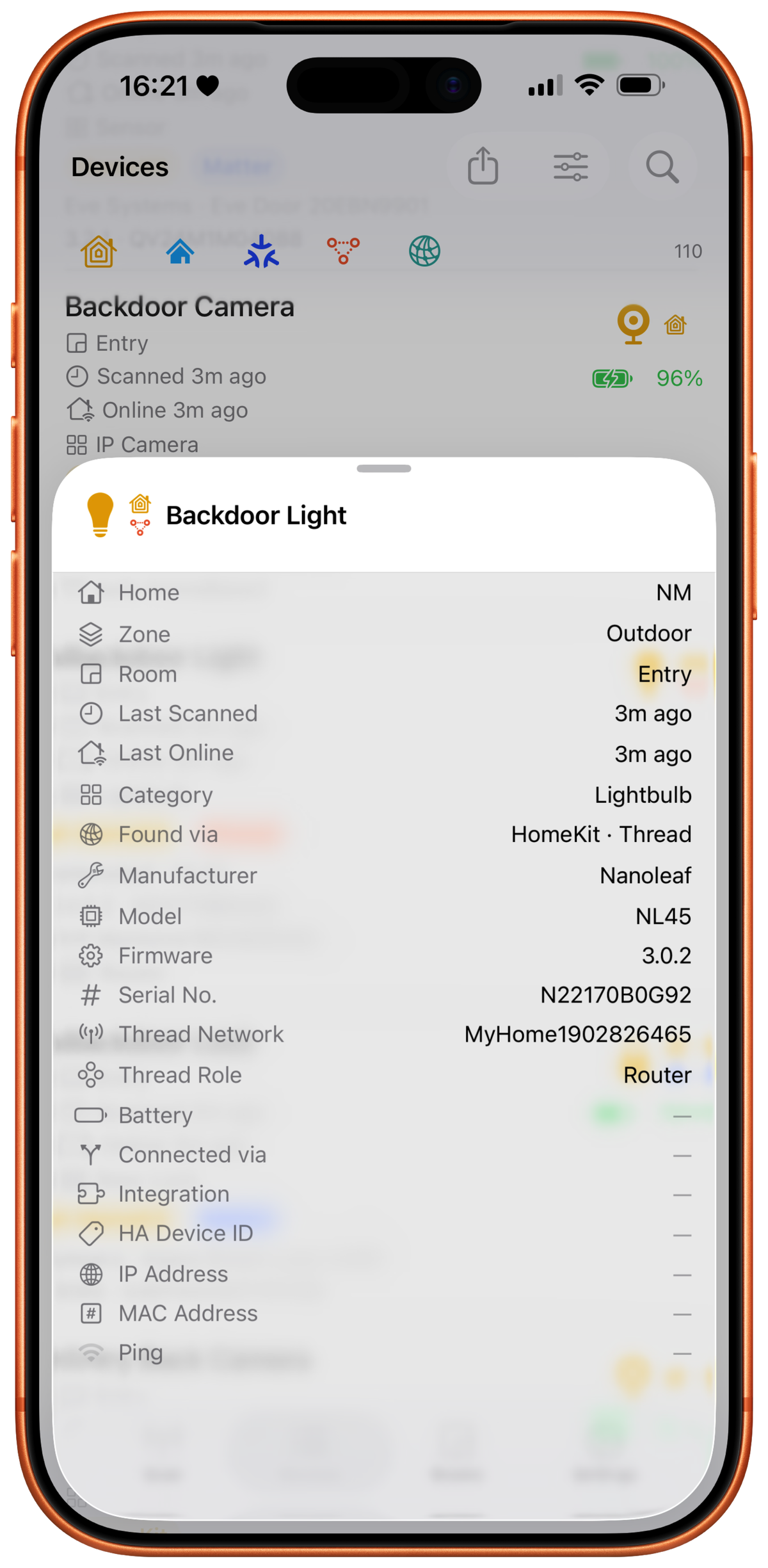
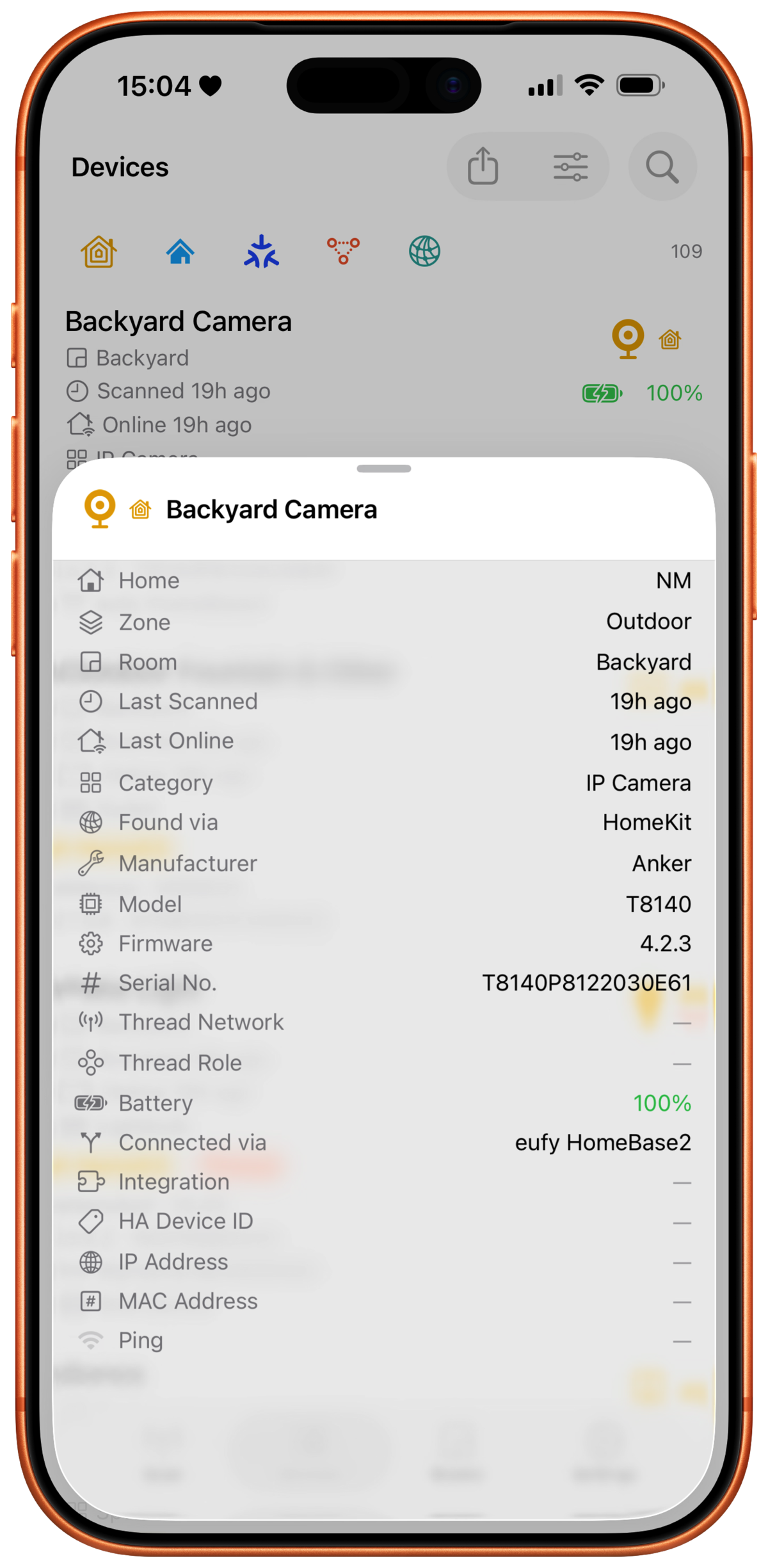
Unlike smart home control apps that show rooms and switches, HomeMapper shows what’s actually on the network: which protocols each device uses, its firmware version, whether it’s reachable, its Thread mesh role, MAC and IP addresses, and serial numbers. When the same physical device appears across multiple protocols, HomeMapper merges them into one entry using hardware identifiers (serial numbers, MAC addresses, HAP Pairing IDs). Name similarity is never used as a match.
HomeMapper never controls or commissions devices; it only reads them. There are no accounts, no analytics, and no ads. Scan results stay on the device, and no HomeMapper server is involved. The app is free to download with a permanently free HomeKit-only tier. Pro unlocks multi-protocol scanning, protocol filtering, the combined “All Homes” view, Home Assistant integration, a Topology map and Thread health, CSV export, backup and restore, setup code saving, and all 24+ data columns. Pro is sold either as an annual subscription ($19.99/year, with a 7-day free trial) or as Lifetime Access, a one-time $79.99 purchase.
Key Facts
| Developer | Vault Hunters NM LLC |
|---|---|
| Platforms | iPhone, iPad, Mac (native) |
| Price | Free / Pro $19.99/year / Lifetime Access $79.99 one-time |
| Free Trial | 7-day trial on the annual subscription |
| App Store | View on App Store |
| Website | homemapper.app |
| Media Contact | Media Contact |
| Release Date | May 29, 2026 |
Feature Highlights
- Multi-protocol discovery. Scans HomeKit, Matter, Thread, Bonjour/mDNS, SSDP/UPnP, ICMP, and TCP in a single pass.
- Multiple Apple Home support. A toolbar selector switches between HomeKit homes one at a time on Free, or shows all homes combined on Pro. Devices stay scoped to the home they came from.
- Home Assistant integration. OAuth-secured local connection surfaces Zigbee, Z-Wave, ESPHome, and MQTT devices alongside HomeKit in one unified inventory.
- Hardware-based device correlation. Merges the same physical device seen across protocols using seven identifier types (serial number, MAC address, HAP Pairing ID, Cast UUID, SSDP UDN, Matter Node ID, IP address).
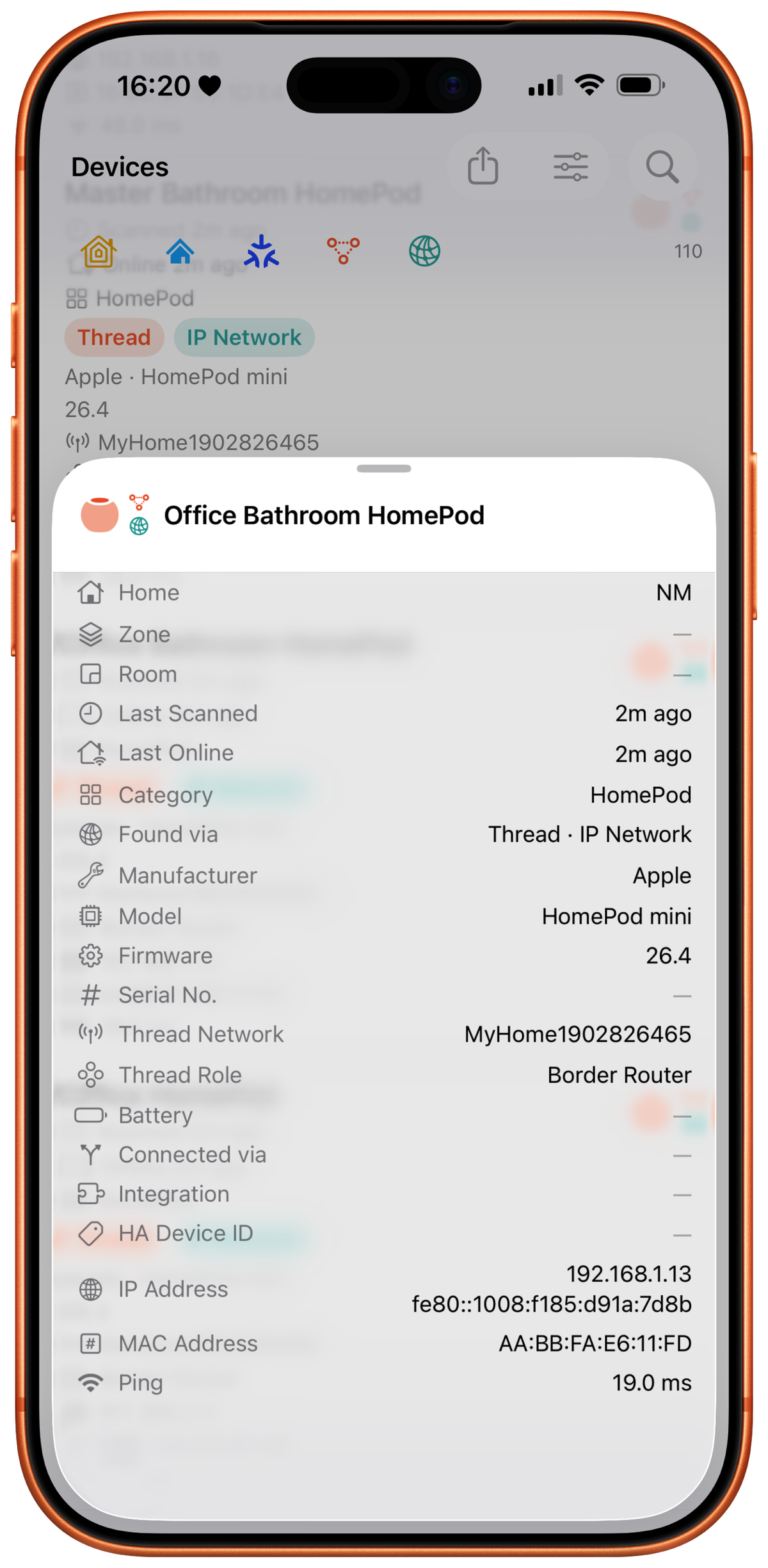
- Thread mesh visibility. Shows mesh roles (Router, Leader, End Device) where reported, Thread network names, radio channel, the Thread version a border router advertises, and the reconnection counters read during a topology scan. Border routers are found through MeshCoP, the Thread commissioning service they advertise over Bonjour.
- Topology map (Pro). Draws the Thread mesh, from border routers to end devices, and each HomeKit bridge with its accessories, using only measured connections. Devices that don't report their connections are listed as unplaced. Tap a link for its measured signal (RSSI and link quality) plus the child device's reconnection counters: parent changes, attach attempts, and partition changes. Links measured as weak, losing frames, or stale are flagged on the map itself. Export the full map as PNG, PDF, or SVG.
- Thread health (Pro). A sub-tab of the Topology map that lists what needs attention on the mesh, ranked worst first, each row naming the devices involved and the action to take: a device that didn't answer the scan, a router that is the only path for devices behind it, a link that is weak or losing frames or stale, a device with strong RSSI but a high frame-error rate, and a device that is restarting. A per-network summary gives name, channel, and router count.
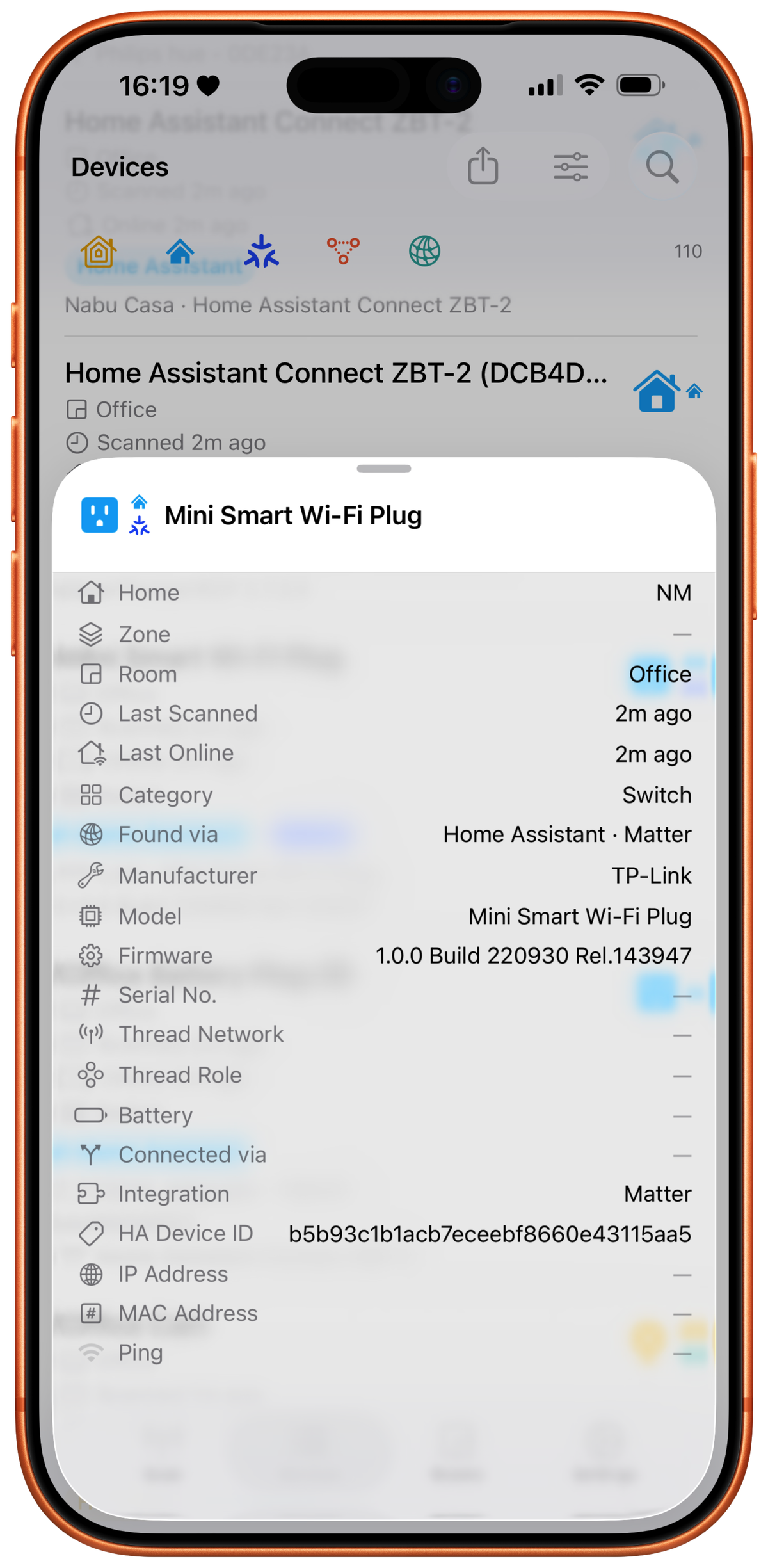
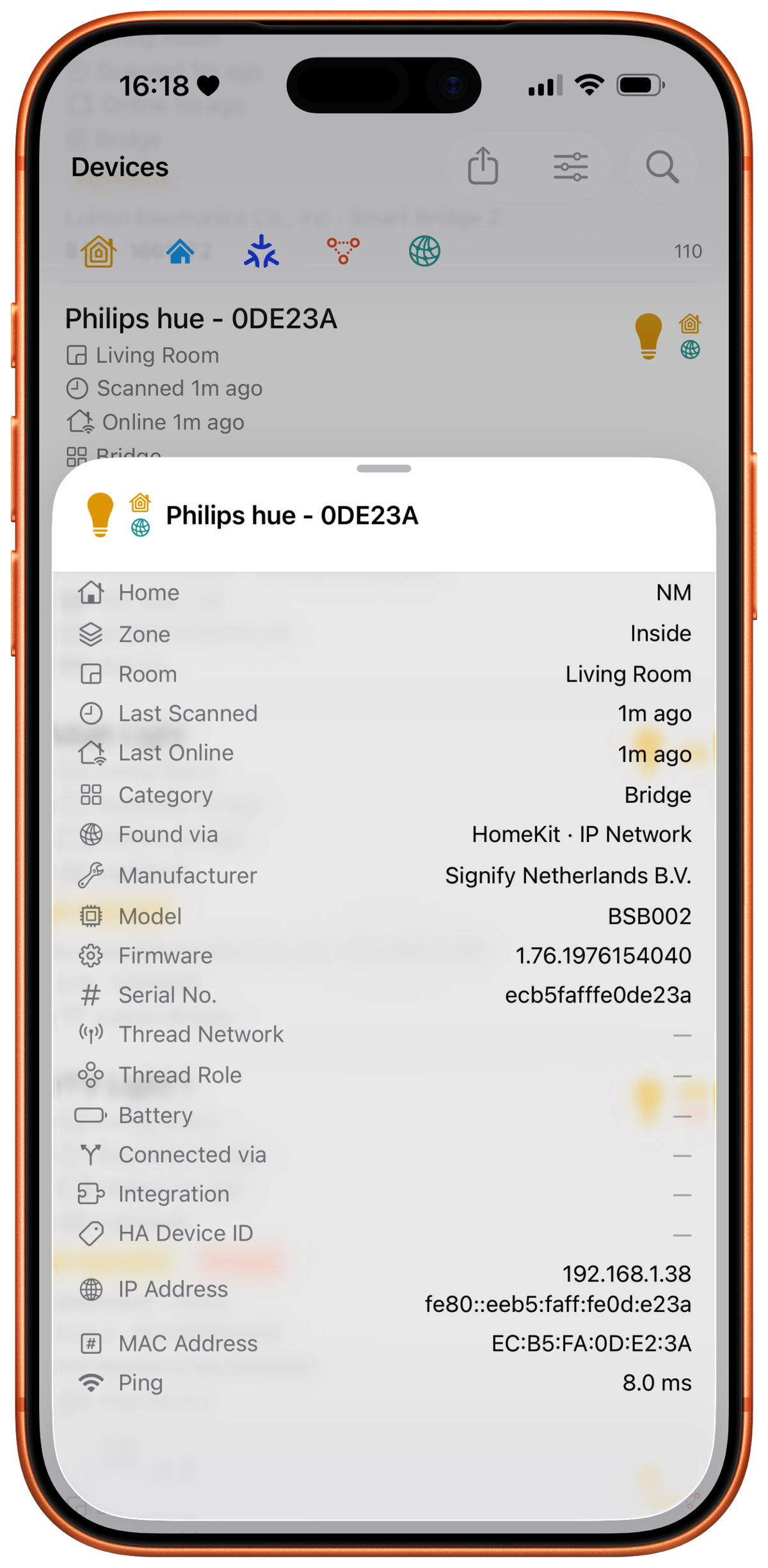
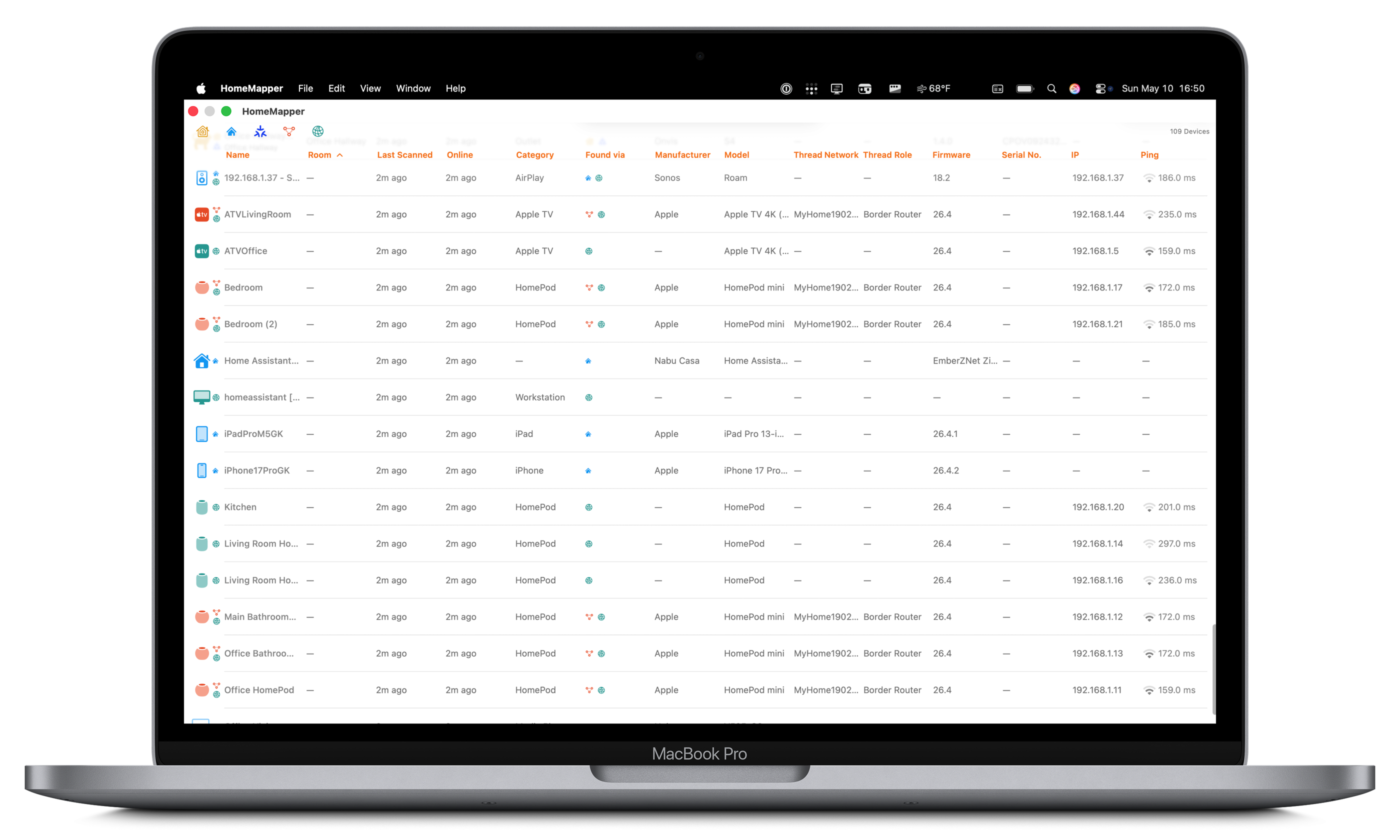
- Per-platform layout. 24+ sortable, searchable columns on iPad and Mac; per-device detail cards on iPhone; room-based grouping on all platforms.
- Protocol filtering. Show or hide HomeKit, Home Assistant, Thread, Matter, and IP in the device list and Rooms view. Selections persist across launches.
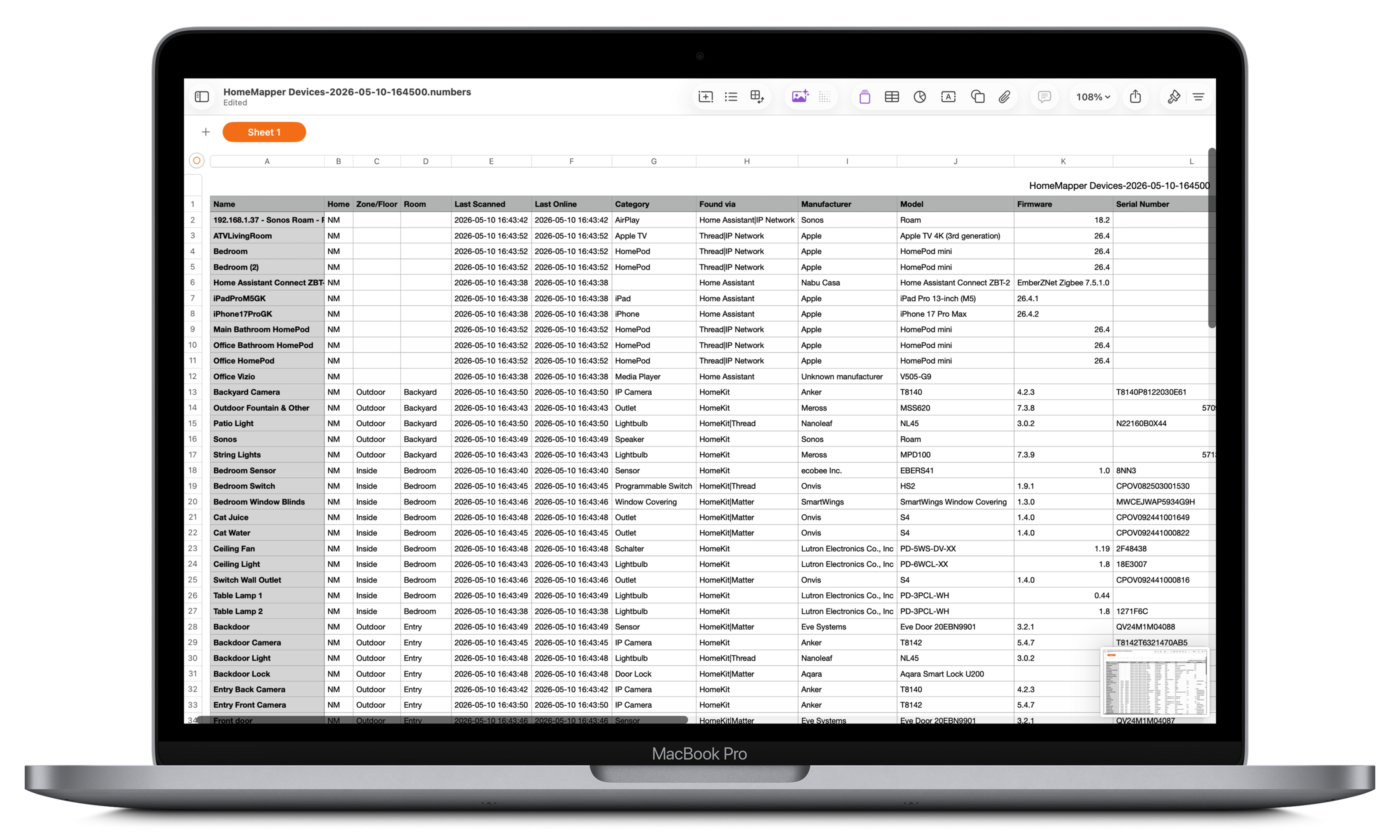
- CSV export. Full device inventory export for insurance documentation, network planning, or troubleshooting.
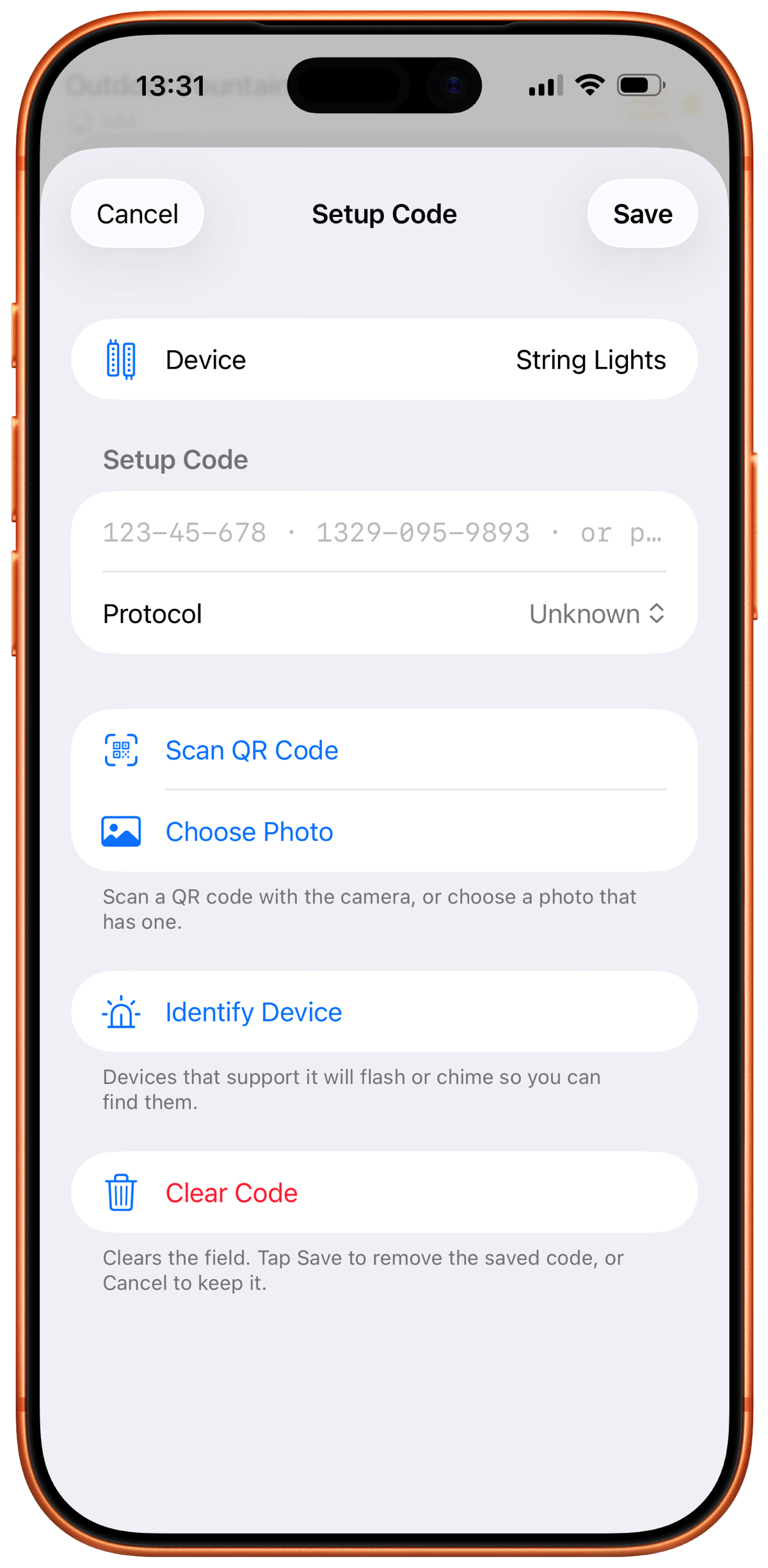
- Setup code saving. Keeps each device's HomeKit, Matter, or Z-Wave setup code with the device. Codes can be typed, scanned from the QR sticker, read from a photo, or imported from a CSV worksheet, and the same worksheet imports onto the user's other devices. For older HomeKit accessories that print an 8-digit number with no QR, the camera and photo paths read the printed digits too. A room-by-room list flags every device still missing a code. Saved codes are included in backups, and with Pro and iCloud Sync on they sync across the user's own iCloud.
- Backup and restore. Automatic post-scan or manual backups of the scan database and settings to iCloud Drive or a local folder. Credentials are never included.
- Privacy. No accounts, no analytics SDK, no ads. The only external connection is Home Assistant, and only if the user chooses to connect it.
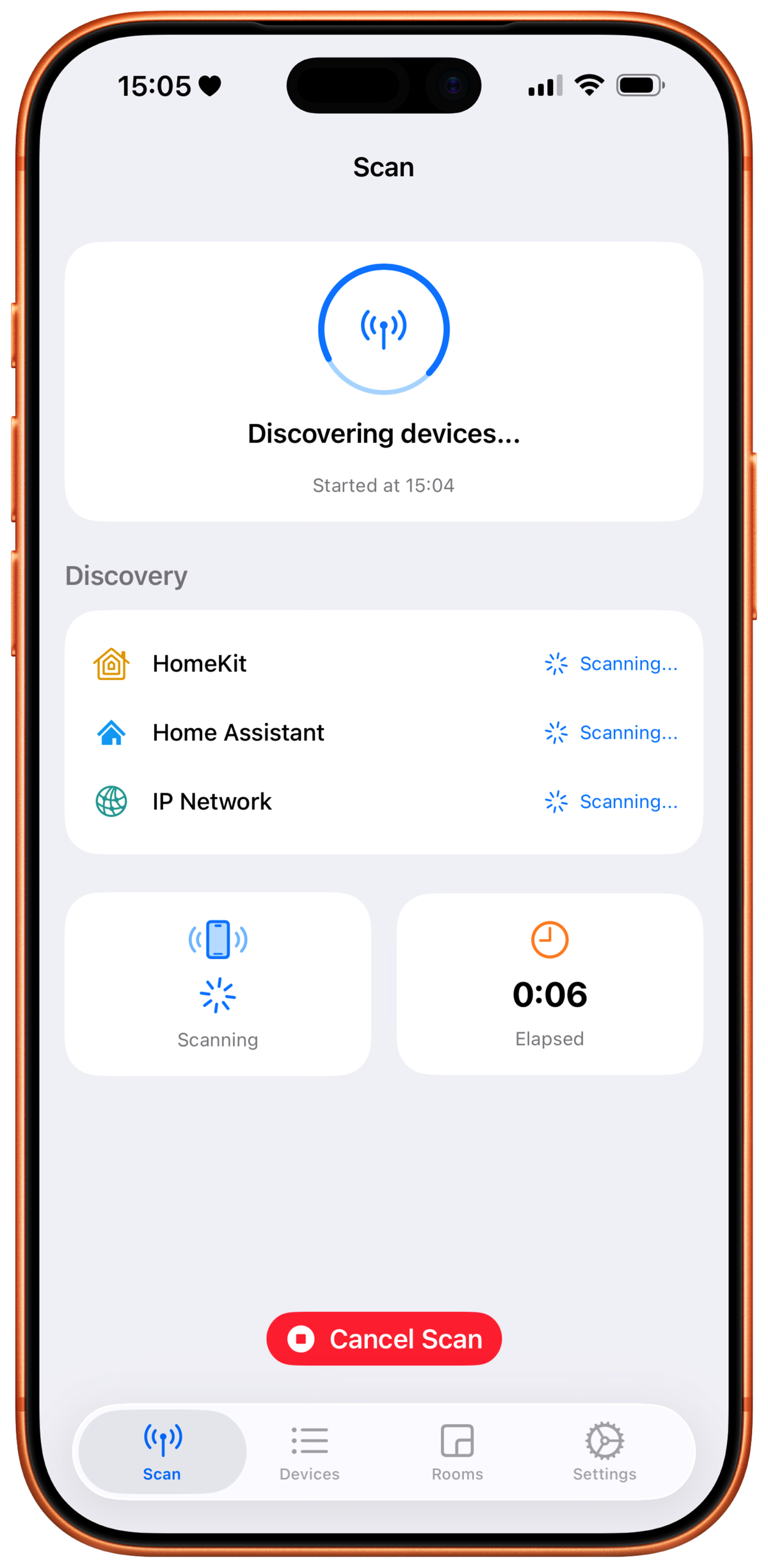
Screenshots
Both framed and unframed versions of every screenshot below are in the asset ZIP.
iPhone
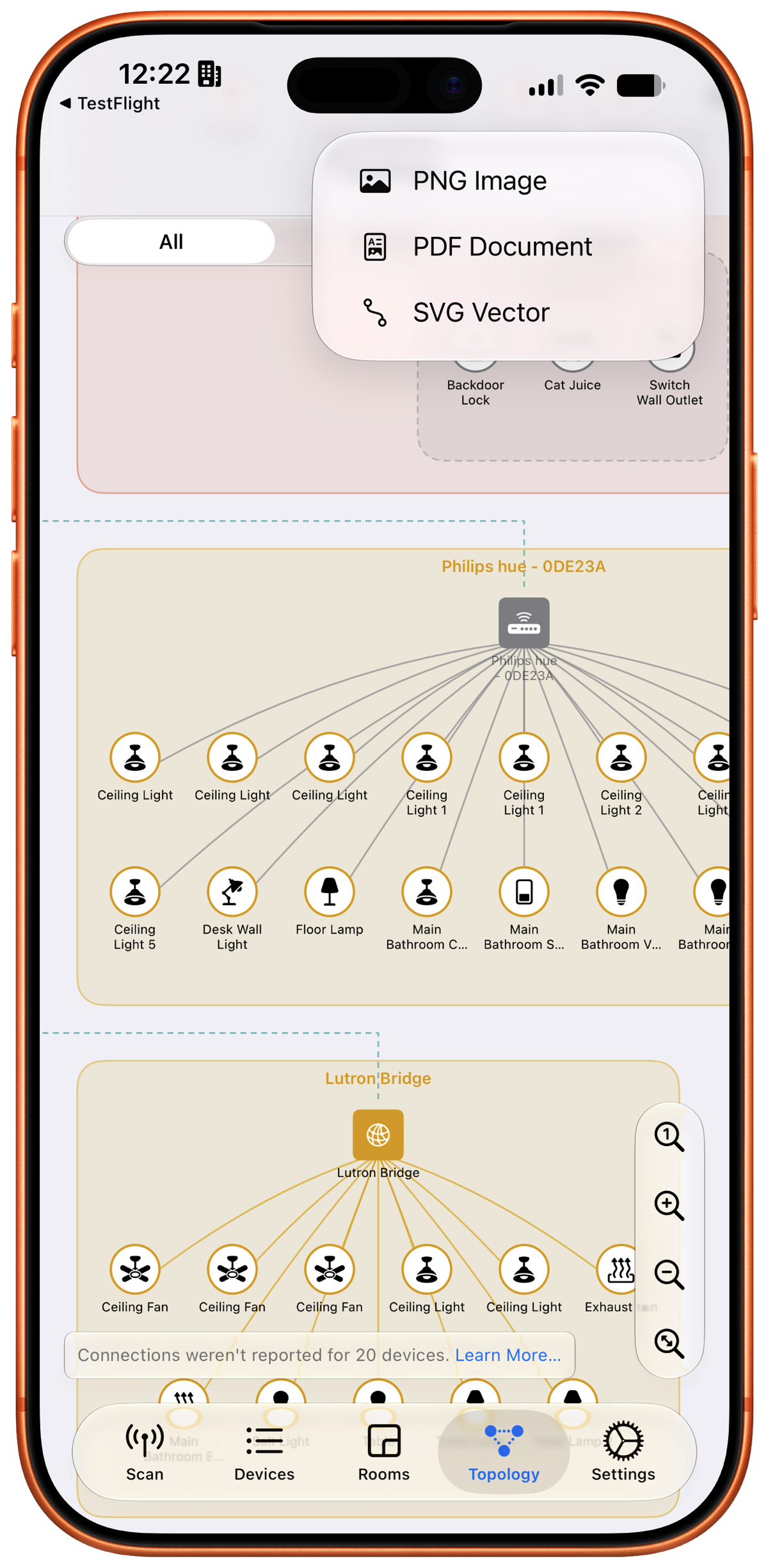
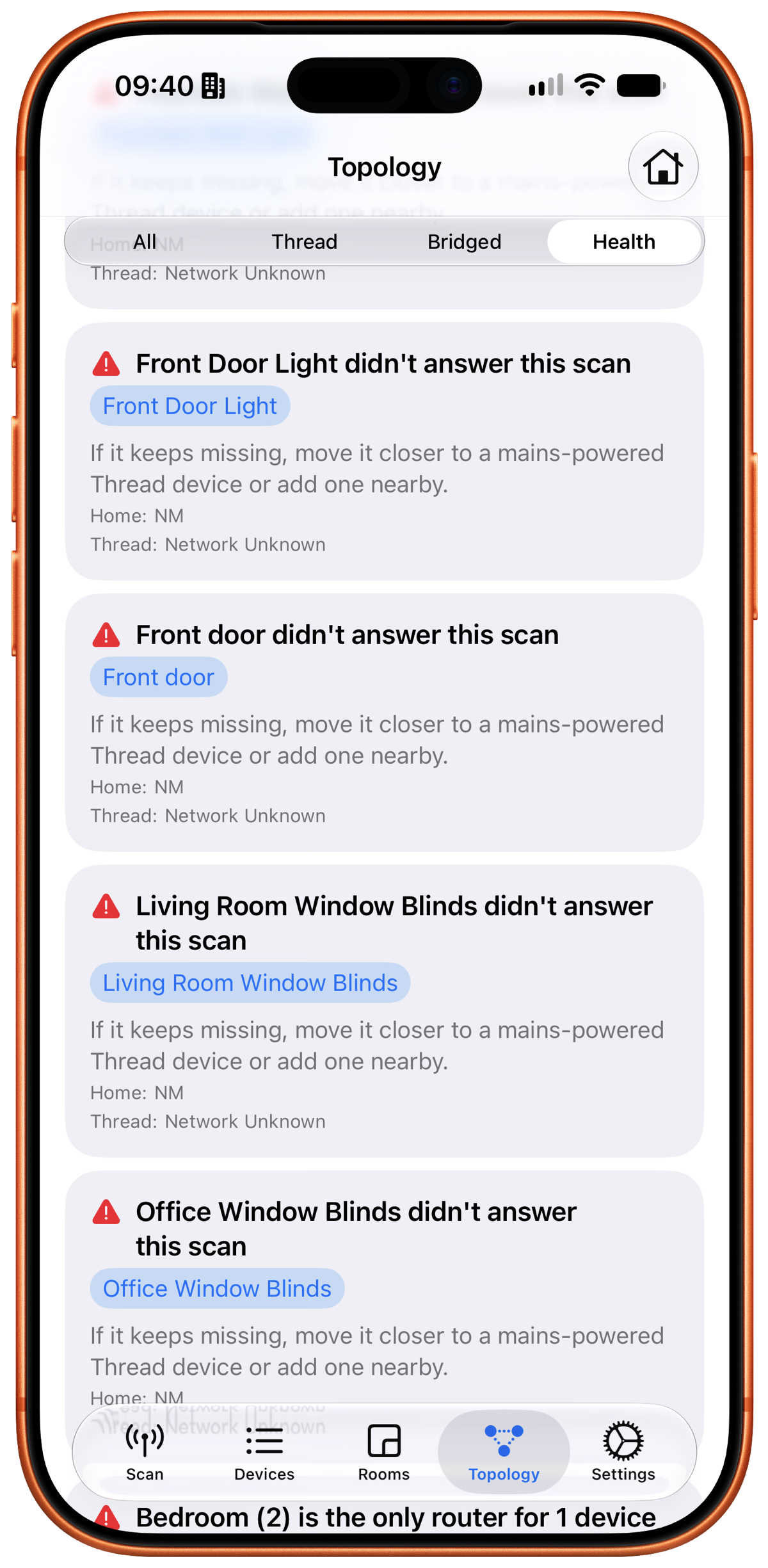
iPad
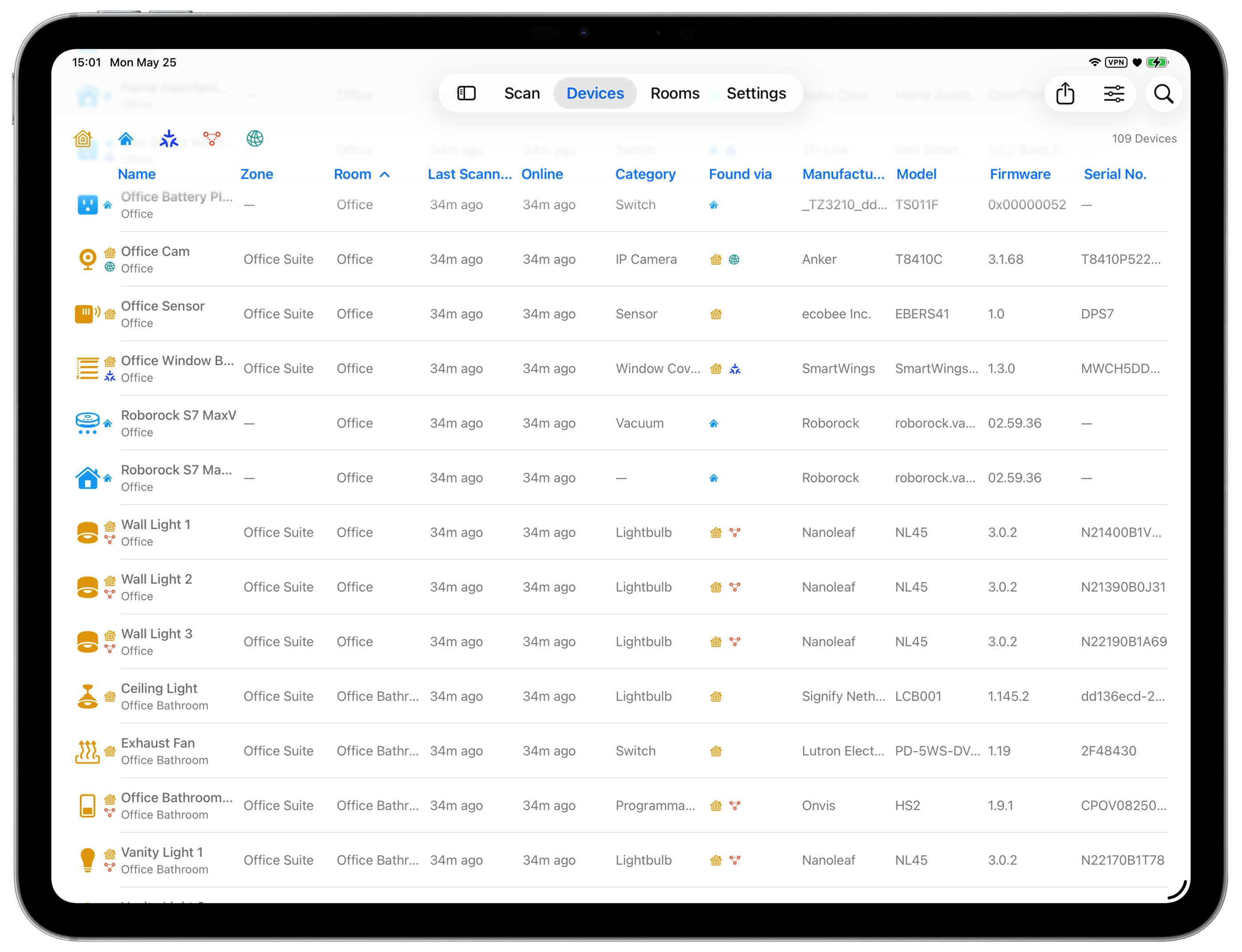
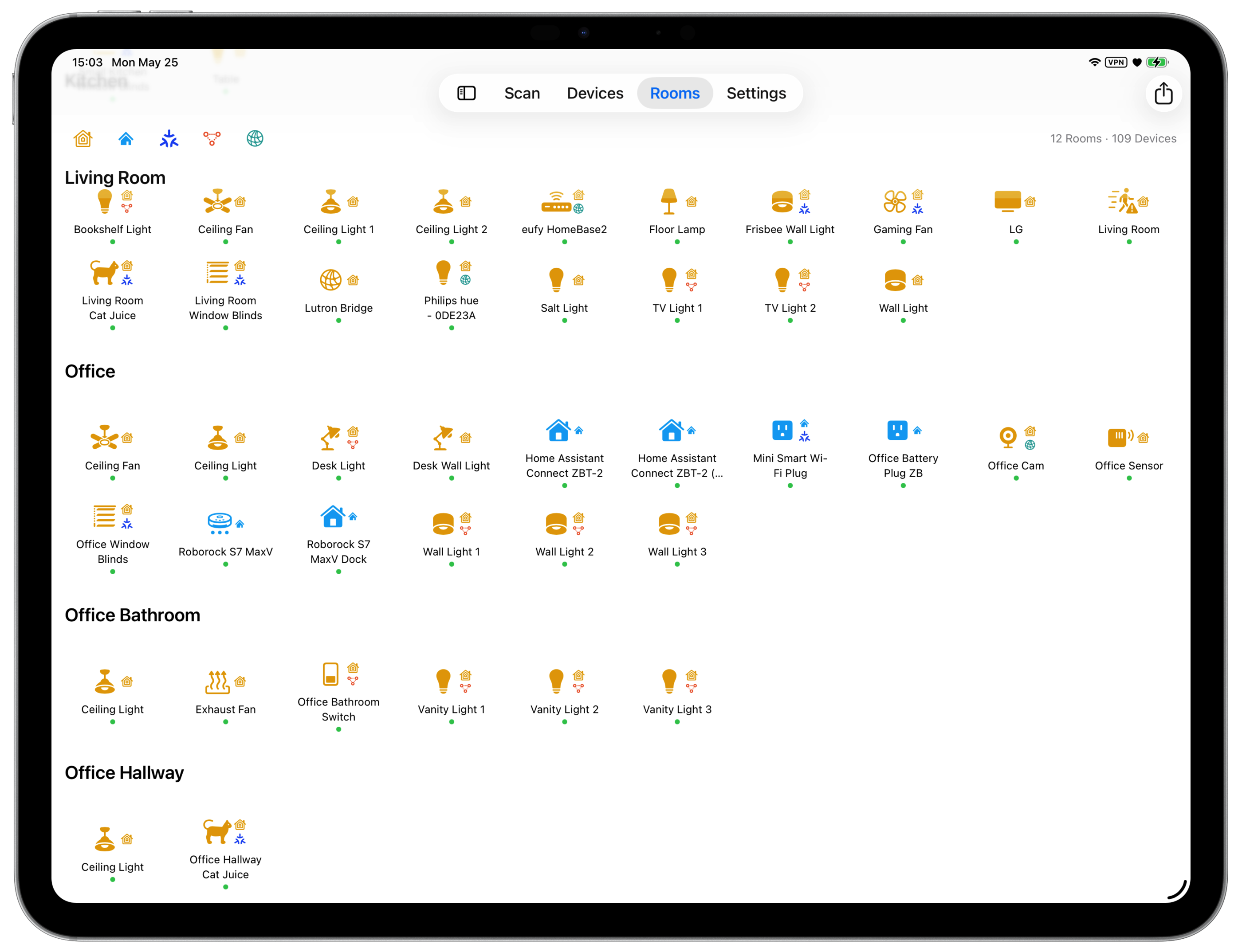
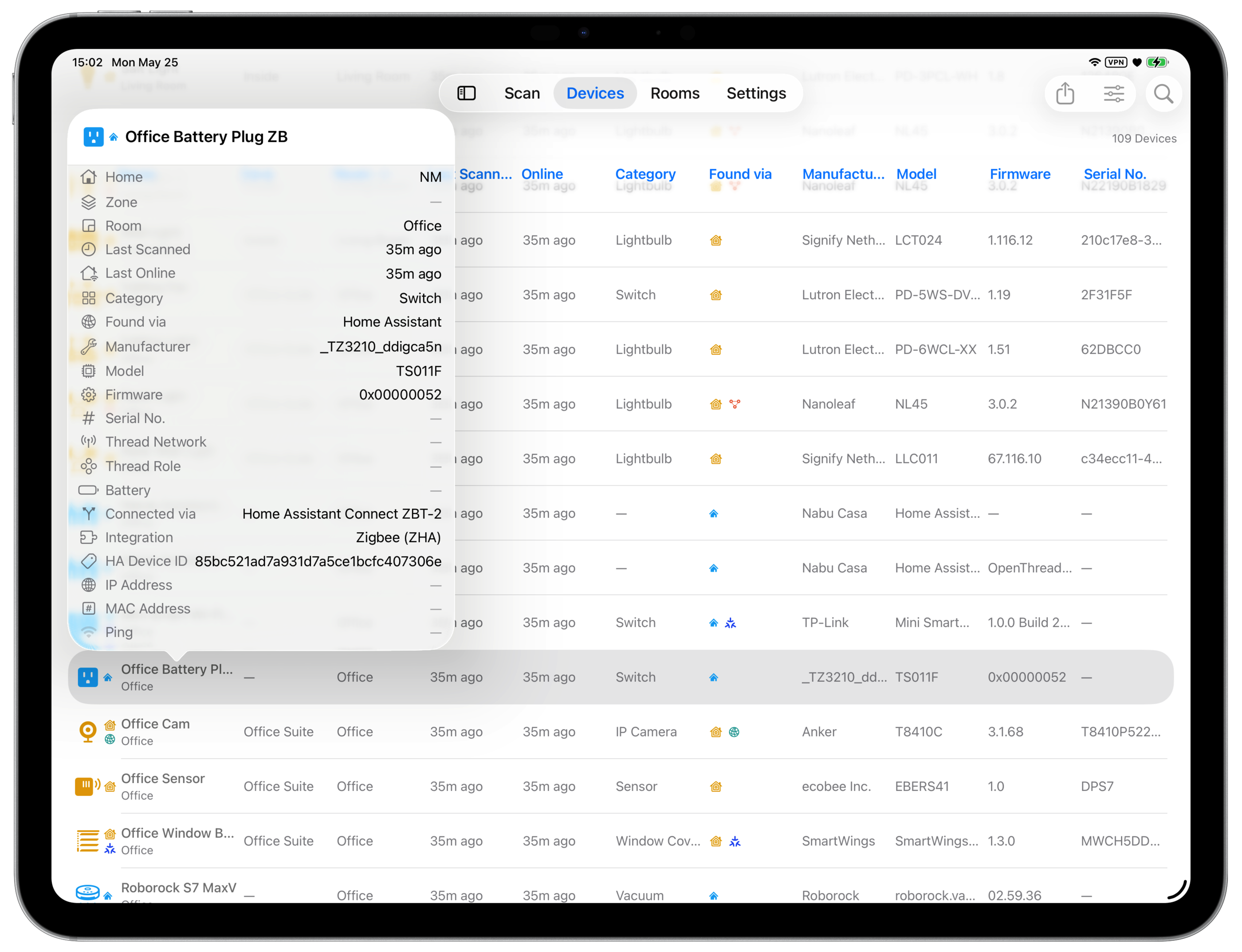
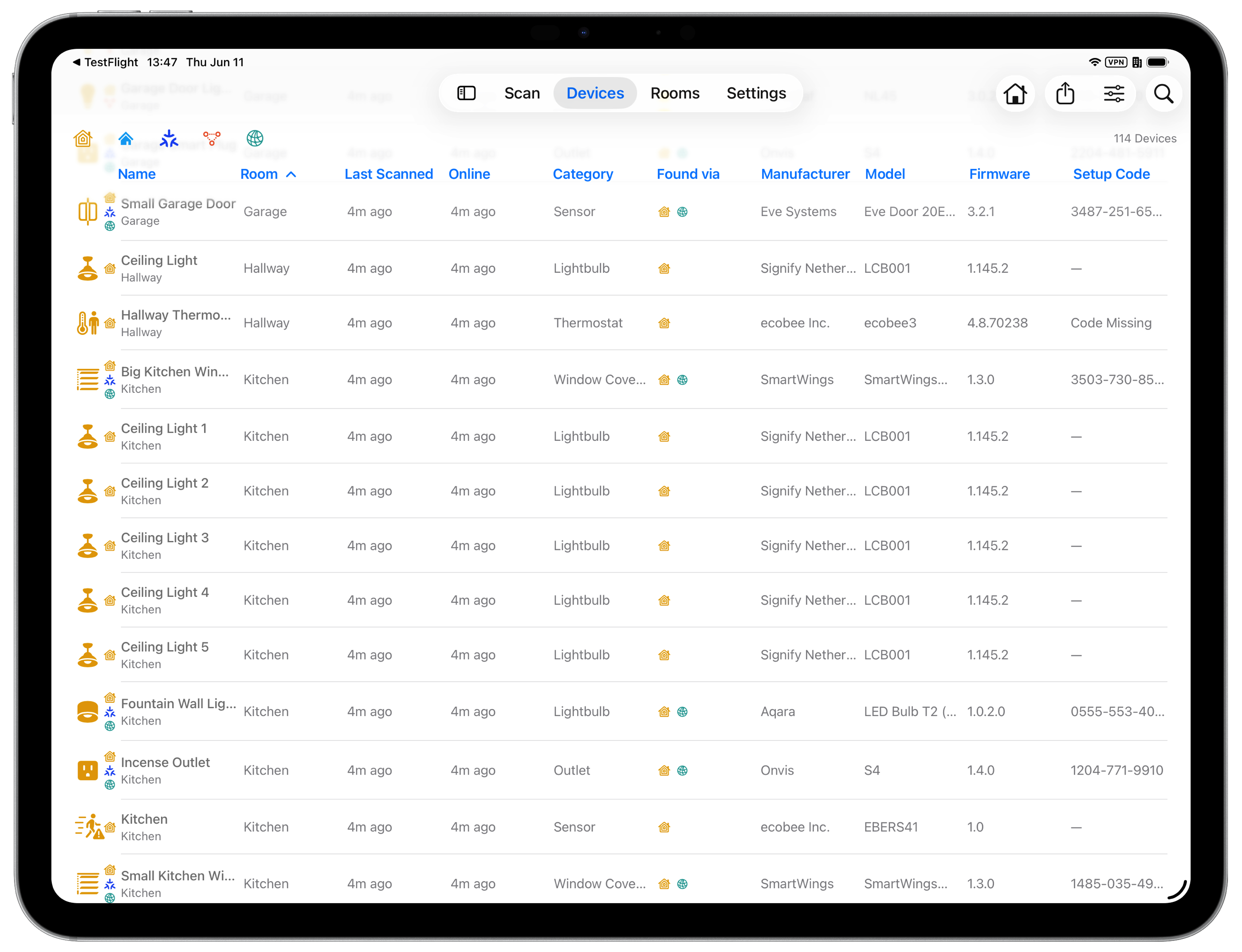
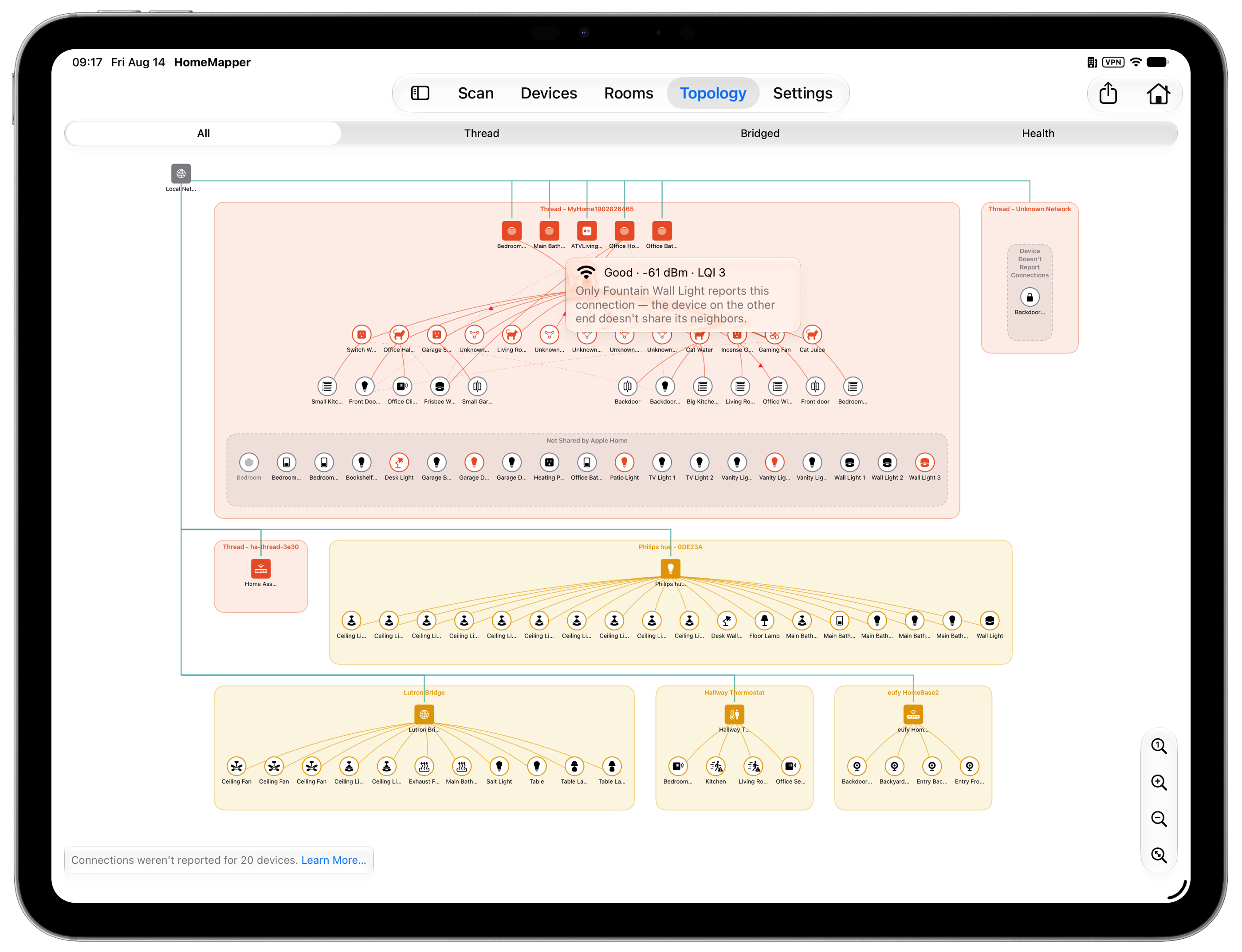
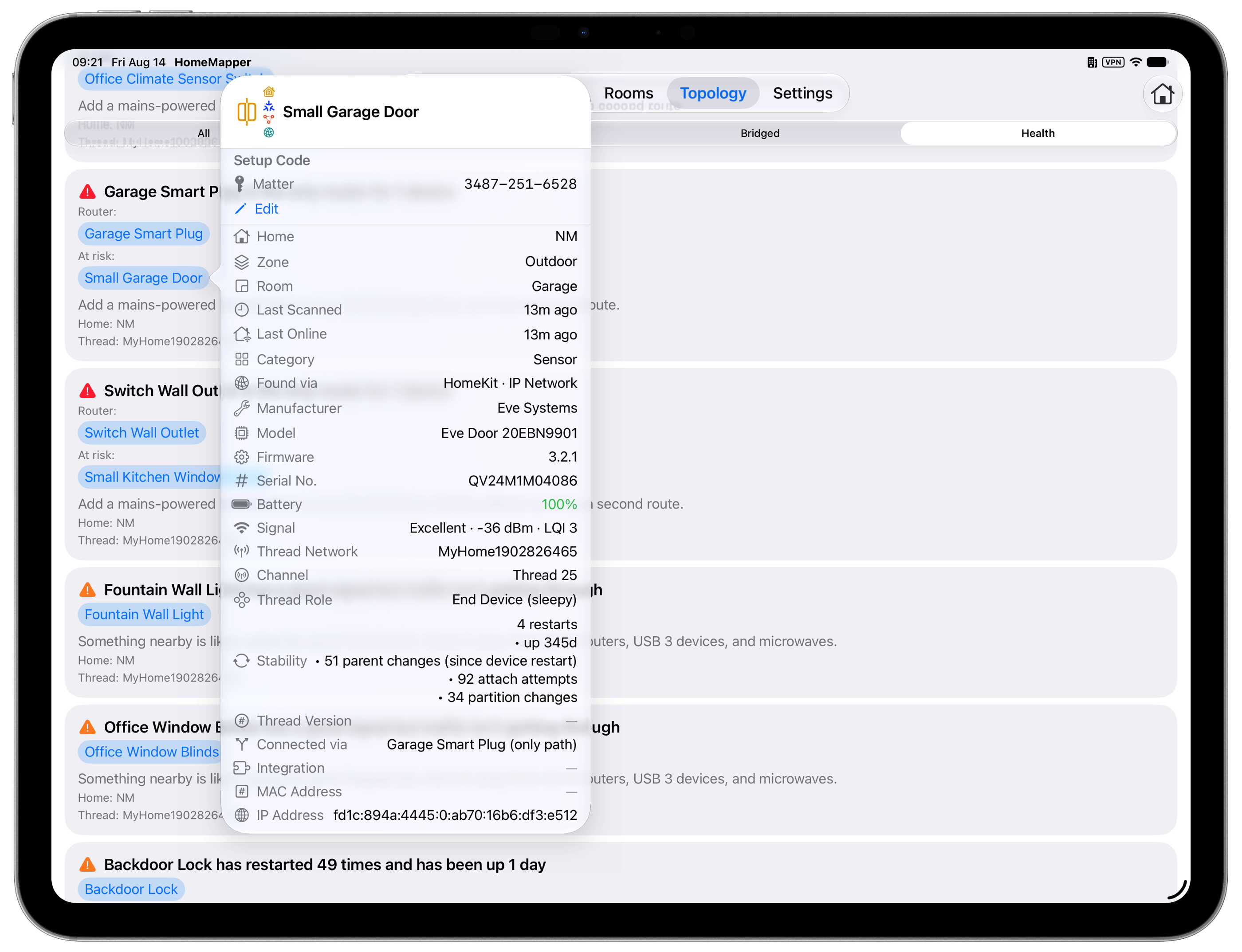
Mac
App Icon Assets
Download individual assets below, or grab everything in the asset ZIP.



Pricing & Availability
| Tier | Price | Includes |
|---|---|---|
| Free | $0, forever | HomeKit scanning, device list with core columns, room-based view, unlimited scans, no time limits |
| Pro | $19.99/year | Everything in Free, plus all 24+ columns, multi-protocol scanning, protocol filtering, combined “All Homes” view, Home Assistant, Topology map and Thread health, CSV export, backup and restore, setup code saving |
| Lifetime Access | $79.99, one time | Everything in Pro, permanently. No renewal, no expiration; works on every device signed into the same Apple ID |
The annual subscription includes a 7-day free trial; Lifetime Access does not. No ads in any tier.
Available in every region of the Apple App Store.
About the Developer
Vault Hunters NM LLC is an independent software company based in New Mexico, focused on building tools for smart home infrastructure. HomeMapper is its first app.
Technical Background
For technically-minded reviewers.
Discovery Protocols
HomeMapper scans five protocol layers at once. Each returns different details about the same devices, and the results are merged into one list.
HomeKit
Apple’s smart home framework. HomeMapper sees everything the Home app sees: device names, rooms, categories, reachability status, and battery levels. HomeKit is also how Matter capability is detected. Matter metadata surfaces during the HomeKit scan, not through a separate scan phase.
Home Assistant
An open-source home automation platform. HomeMapper connects via OAuth2 over the local network and fetches the full device registry, surfacing Zigbee, Z-Wave, ESPHome, and MQTT devices that are invisible to Apple’s ecosystem. Devices from both HomeKit and Home Assistant flow into one inventory, correlated by hardware identifiers where possible.
HomeMapper currently scans one Home Assistant instance per home network. Multi-instance support is planned.
Thread
HomeMapper reads Thread mesh roles (Router, Leader, End Device), Border Routers, network names, and the Thread version a Border Router advertises. Roles come from the HomeKit Thread Management Service; network names, Thread version, and Border Router detection come from MeshCoP, the Thread commissioning service advertised over Bonjour. Apple exposes no Thread mesh internals of its own, so parent-child links, per-link signal, channel, and reconnection counters are read from the devices' own neighbor tables during a topology scan. The Topology map (Pro) draws those measured relationships, and its Health sub-tab turns the same measurements into a ranked list of what to fix.
IP Network
Four techniques: Bonjour/mDNS service browsing (HAP, AirPlay, GoogleCast, printers, and any other advertised Bonjour service type), ICMP subnet scanning with TCP connection probes, ARP-based MAC harvesting (Mac only), and SSDP/UPnP discovery for routers and media servers.
Device Correlation Pipeline
One device often appears four times: as a HomeKit accessory, a Home Assistant entity, a Thread router, and an IP Network service. HomeMapper merges them by checking hardware and protocol identifiers in order, strongest first.
Two records are only merged when they share a definitive identifier, so HomeMapper will show a duplicate rather than combine two different devices.
Thread Mesh Roles
Thread is a mesh networking protocol where devices relay data for each other, forming a self-healing network that improves as devices are added. Every Thread device has a role determining how it participates in the mesh.
- Leader. One per Thread network, manages routing tables and address assignment. If the Leader goes offline, another Router is automatically elected. Typical Leaders: Apple TV, HomePod mini.
- Router. Forwards packets, acts as parent to End Devices, and can be elected Leader. Any mains-powered Thread device can become a Router. Typical: HomePod mini, Apple TV, Nanoleaf bulbs, Eve Energy.
- End Device. Typically battery-powered. Connects to a single Router parent, sleeps to conserve battery, does not forward data. Typical: Eve Door & Window, Eve Motion, Eve Weather.
- Border Router. Bridges Thread mesh and Wi-Fi/Ethernet. Without a Border Router, Thread devices can communicate with each other but not with non-Thread devices. A device can be a Router and Border Router simultaneously. Typical: Apple TV, HomePod mini.
- Disabled. Thread hardware is present but not currently active; the device isn't participating in any Thread network.
- Detached. Supports Thread but isn't currently connected to a mesh, often because no Border Router is in range, after a reboot, or from stale credentials.
Devices HomeMapper can't place appear in three named groups inside their Thread network box: Not Shared by Apple Home (set up with an Apple Home code, so Apple reports the role but not the connections), Device Doesn't Report Connections (answered but published no neighbor table), and Out of Range or Offline (asked directly and never answered, the only one of the three that indicates a fault).
Privacy Architecture
HomeMapper stores all scan data in a local SQLite database on the user’s device. No data is transmitted to any server. No accounts, no analytics SDK, no ads. The setup that syncs across a user’s devices (room order, Home Assistant connections, saved setup codes) goes through their own iCloud, never a HomeMapper server.
The only external connection HomeMapper makes is to a user’s local Home Assistant instance, and only if the user explicitly chooses to connect it. This connection uses OAuth2 authentication through a secure system browser sheet (the same mechanism used by Sign in with Apple). HomeMapper never sees or stores the user’s Home Assistant password. OAuth tokens are stored exclusively in the iOS Keychain (encrypted, hardware-backed) and are never written to the app’s database, preferences, or diagnostic logs.
Diagnostic logging is entirely voluntary. If a user chooses to send logs, they are composed in the device’s email app, giving full visibility and edit control before sending. Logs may contain device names and types but never credentials or tokens.
Data leaves the device only when the user exports or emails it. Every feature works over the local network with no cloud relay.